▱
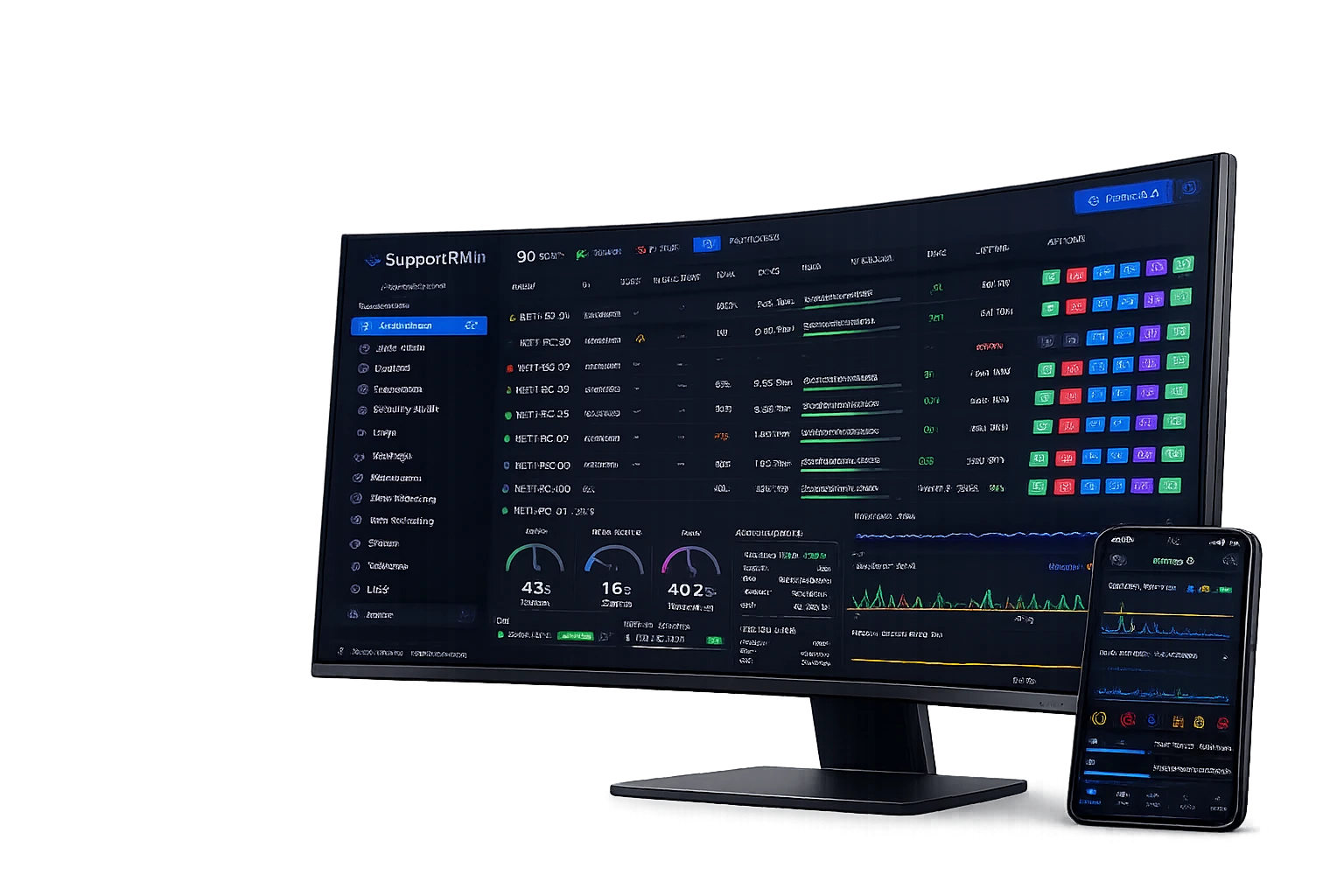
Real-time Monitoring
Track system status, resource usage and network activity in real time.
SupportRMM is self-hosted Remote Monitoring and Management (RMM) software for Windows endpoints. Monitor, manage and secure your fleet from one dashboard you host yourself.
by SupportTPM
SupportRMM uses hardware-backed protection powered by TPM 2.0.
Track system status, resource usage and network activity in real time.
Inspect firewall, open ports, local admins, SMB and Windows Update on any device.
Get instant alerts for critical events and act before issues become downtime.
Update, process, service, restrict, clean and much more from one place.
SupportRMM brings remote monitoring, endpoint management, automation and security controls into one self-hosted Windows RMM platform — without cloud subscriptions or per-device fees.
Monitor online/offline state, CPU, RAM, disk activity, storage, uptime and last update from a central dashboard.
Run maintenance, refresh agents, control processes and perform device actions remotely from the browser.
Track suspicious executions, double extensions, blocked events and isolation decisions in real time.
Review LAN state, DNS status, uptime, device groups and site-level health from one interface.
See connected devices, serial numbers and file activity to detect unauthorized data movement.
Run signed PowerShell or Batch scripts on one PC, a network or the whole fleet, with centralized results.
Your operational fleet data stays inside your own environment. Provider cloud services are limited to licensing, anti-abuse, release information and supported recovery coordination.
The security module centralizes alerts, blocked executions and rule-based decisions. Fast triage, clear severity and immediate context.
Track every removable device and the files moved through it — with policy controls to block storage or alert on writes.
When a workstation behaves abnormally, inspect active processes, resource usage and machine status without physically accessing the device.
Push a script to a single PC, a whole network or every endpoint at once. Each script is signed by your server and verified by the agent before it runs as SYSTEM, so only commands you authorize are ever executed.
Deploy the management server on your own machine, VPS or private environment.
Install the lightweight Windows agent and assign devices to groups or sites.
Use the web dashboard for live visibility, security decisions and remote actions.
One license, one payment, unlimited devices. No annual renewals, no per-seat fees, and no mandatory cloud management console.
A 30-day evaluation is available. Commercial licensing uses a one-time perpetual licence; online checkout is being enabled.
For IT administrators and managed service providers
For evaluation access, licensing, or help getting set up — we're one message away.
Contact us
SUPPORTRMM TECHNOLOGIES S.R.L.
Trade Register No. J2026038323003
CUI: 54883393 · VAT ID: RO54883393
Registered in Romania
Official website: supportrmm.com